Bring Your Own Device (BYOD)
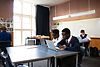
Bring Your Own Device (BYOD) means that students bring a personally owned digital device (such as a laptop or tablet) to school to support their learning.
Starting in 2025, our BYOD programme will apply to all students in Year 7 to Year 13. Each student is expected to have their own device for use during class time. These devices will be used for a range of learning activities, including research, collaboration, and completing assignments.
Our approach combines traditional teaching methods with digital learning. While devices will play an important role in many lessons, students will still use pen and paper where appropriate.
Before bringing and using a device at school, all students must sign the BYOD User Agreement, which is provided electronically via SchoolBridge at the beginning of Term 1.

Loan Devices
A limited number of loan devices are available from the school library. Students may collect a device before 9:30AM each day and must return it at the end of the school day. Students who are issued a device are responsible for it and must return it themselves in its original condition.
Got Questions?
If you have any BYOD queries, please contact:
-
Deputy Principal: Julia Shannon:
-
BYOD Facilitator:Jessica Cormack
WITH student OWNED devices TAKEN HOME EACH DAY,
LEARNING DOESN’T HAVE TO STOP AT THE SCHOOL GATE.
How do I choose an appropriate device?
There are a wide range of suitable devices available, and the school does not require a specific model or brand. However, all devices must meet our minimum specifications. If your current device meets these requirements, your son may use it as his BYOD device.

-
Mobile Phones: Must be kept away during the school day and cannot be used as a BYOD device.
-
Touch/Pen-Enabled Windows Device: Supports handwriting and drawing, works with a wide range of software, and can run the full Microsoft Office suite. Generally more expensive than a standard laptop.
-
Android Tablet: Lightweight with good battery life, but smaller models often have performance, screen size, and app usability limitations, making them unsuitable for this BYOD programme.
-
Apple Tablet (iPad): Well suited to younger students (Years 7–8) and supports creative multimedia work. Less commonly used from Year 9 onward, has some software limitations, and usually requires an additional keyboard purchase.
-
Chromebook: Affordable and good value, with a physical keyboard and strong support for online learning and cloud-based applications. However, most specialist software will not run on Chromebooks, and Microsoft apps have limited functionality.
-
Windows Laptop: A versatile and practical choice with options across different price ranges. Supports a wide variety of software, including the full Microsoft Office suite, and works well both online and offline. Choose a lightweight model with good battery life.
-
MacBook Air/Pro: High-quality, durable devices with strong performance and longevity. Suitable for demanding tasks but are more expensive and may not support Microsoft software in exactly the same way as Windows devices.

Minimum specifications
A 'device' may fall into the following categories:
Laptop, Chromebook, Notebook.
To work effectively it must:
-
Run Windows, Mac OS, or Chrome OS
-
Have at least a 10” screen
-
Be 5GHz WiFi capable (2.4GHz devices not supported)
-
Have reasonable processing power
-
Have a physical keyboard (portable permitted)
-
Language Setting: English
-
Have antivirus and latest operating system installed
Recommended extras:
-
Windows 10 or 11
-
Microsoft Office license (provided free at SBHS)
-
Insurance (SBHS is not responsible for damage or loss)
-
USB Stick and Headphones
-
Transport Bag, durable and portable design.
-
Higher specs for senior subjects like Art, DVC, Media Studies, Music
Digital Citizenship
Southland Boys' High School believes in a Digital Citizenship model for supporting safe and responsible use of the internet in teaching and learning. An important part of this is that we are able to show others what that responsible use looks like while we are using technology in our learning.
We think a good digital citizen is someone who:
-
Is a confident and capable user of ICT
-
Will use ICT for learning as well as other activities
-
Will think carefully about whether the information they see online is true
-
Will be able to speak the language of digital technologies
-
Understands that they may experience problems when using technology but can deal with them
-
Will always use ICT to communicate with others in positive ways
-
Will be honest and fair in all their actions using ICT
-
Will always respect people’s privacy and freedom of speech online
-
Will help others to become a better digital citizen
Because we know this is important for us all, we ask everyone who at SBHS to agree to use the internet and technologies in a safe and responsible way by following the rules laid out in the BYOD User Agreement.